Description
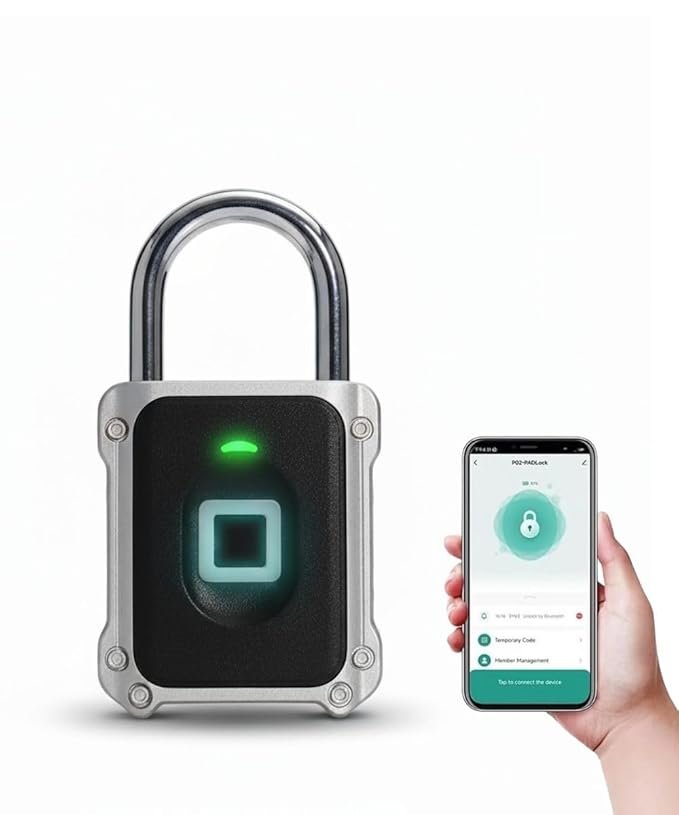
LAVNA Smart Fingerprint Padlock with 2 way of access, Fingerprint, Mobile app access. You can unlock it via LAVNA Smart Life mobile app too with in the bluetooth range (4-5 M). You can also check past unlocking records in the mobile app. The fingerprint lock can store 10 sets of fingerprints, allowing multiple fingers or users to access it simultaneously. Strong Waterproof Performance: With an IP67 waterproof rating, this keyless lock can operate reliably even in rainy conditions. Sturdy and Durable: Constructed with high-quality materials including zinc alloy, ABS, and 304 stainless steel, featuring a thick lock hook for enhanced security level 6. Versatile Application: Specially designed for Main doors and also Suitable for bags, suitcases, cabinets, warehouse doors, dormitory doors, and construction site doors. Long-Lasting Battery: Includes built-in battery, works for approx 4 month. In case complete battery drained out you can also easily change the button type 2 cells and unlock it with your registered fingerprint.
LAVNA LP40 Smart Padlock Setup Guide
Step 1: Download the LAVNA SmartLife App
Download the LAVNA SmartLife app from the Google Play Store or Apple App Store. Install the app on your smartphone.
Step 2: Register Your Account
Open the app and register using your email address.
Follow the on-screen instructions for account setup.
Step 3: Enable Bluetooth and Location
Allow Bluetooth and Location permissions for smooth device connection.
Step 4: Add Your Smart Lock to the App
Open the app and tap the + icon on the top right.
Select Add Device.
The app will detect nearby devices. Choose your LAVNA LP40 Smart Padlock to add it.
Once added, the lock will no longer accept random fingerprints and will be connected to your phone, giving you full admin control.
Step 5: Add Fingerprints
In the app, go to Manage Member and tap Admin. Select Add Fingerprint.
Touch your finger to the lock sensor 5 times. Name the fingerprint (e.g., “Admin”).
Repeat the process to add up to 10 fingerprints.
Step 6: Unlock via Mobile
Now, you can unlock your smart padlock directly from your phone within Bluetooth range.

Reviews
There are no reviews yet.